Engineering · HMIs and operator screens
Operator screens that look like they were made this decade.
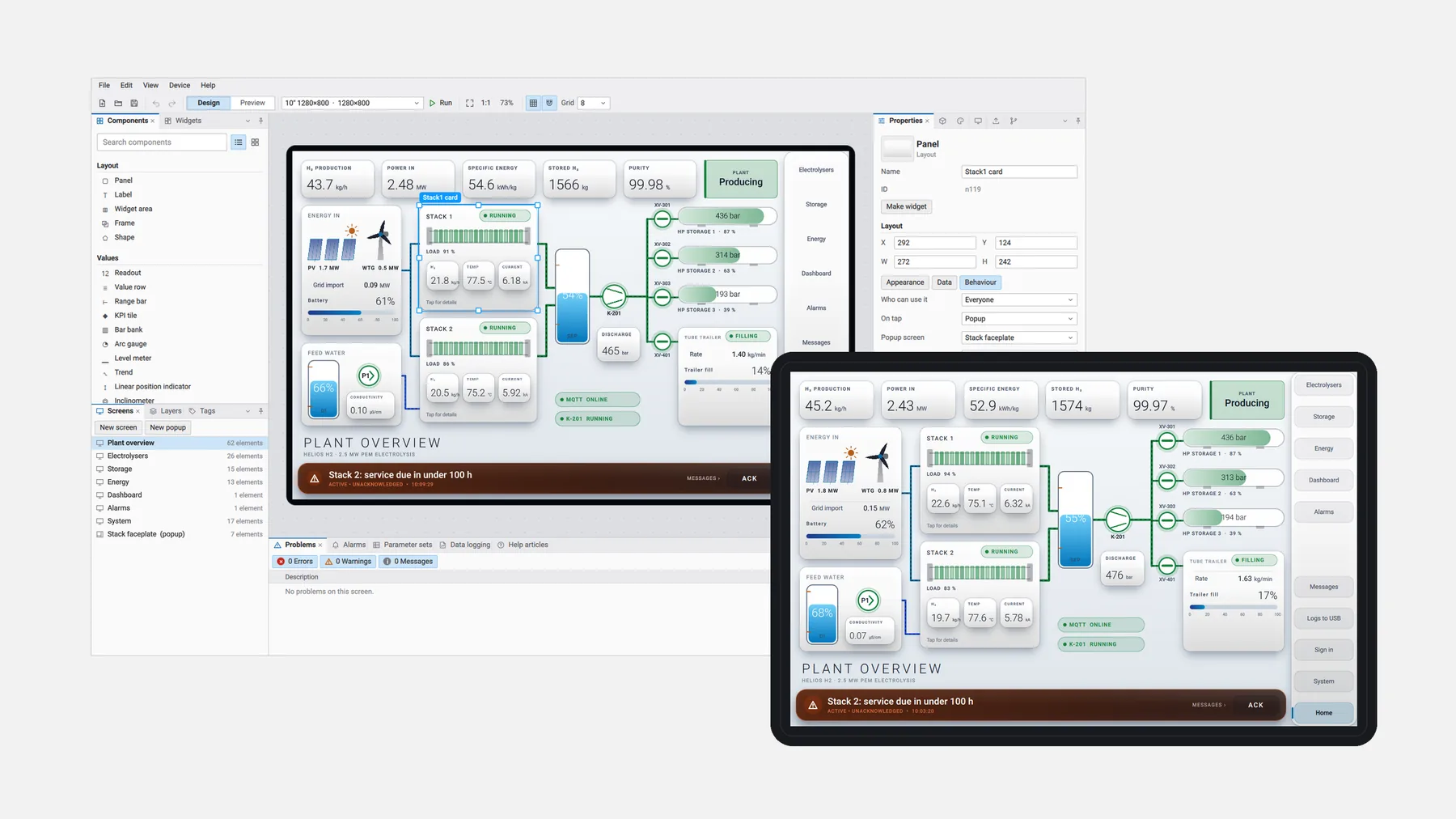
Design the screens on a PC; the same project runs on the machine display.
Live demo
Try one in your browser.
This isn't a video or a mock-up. It's the same runtime we deploy to machine displays, compiled to WebAssembly and running a fictional plant with simulated values.
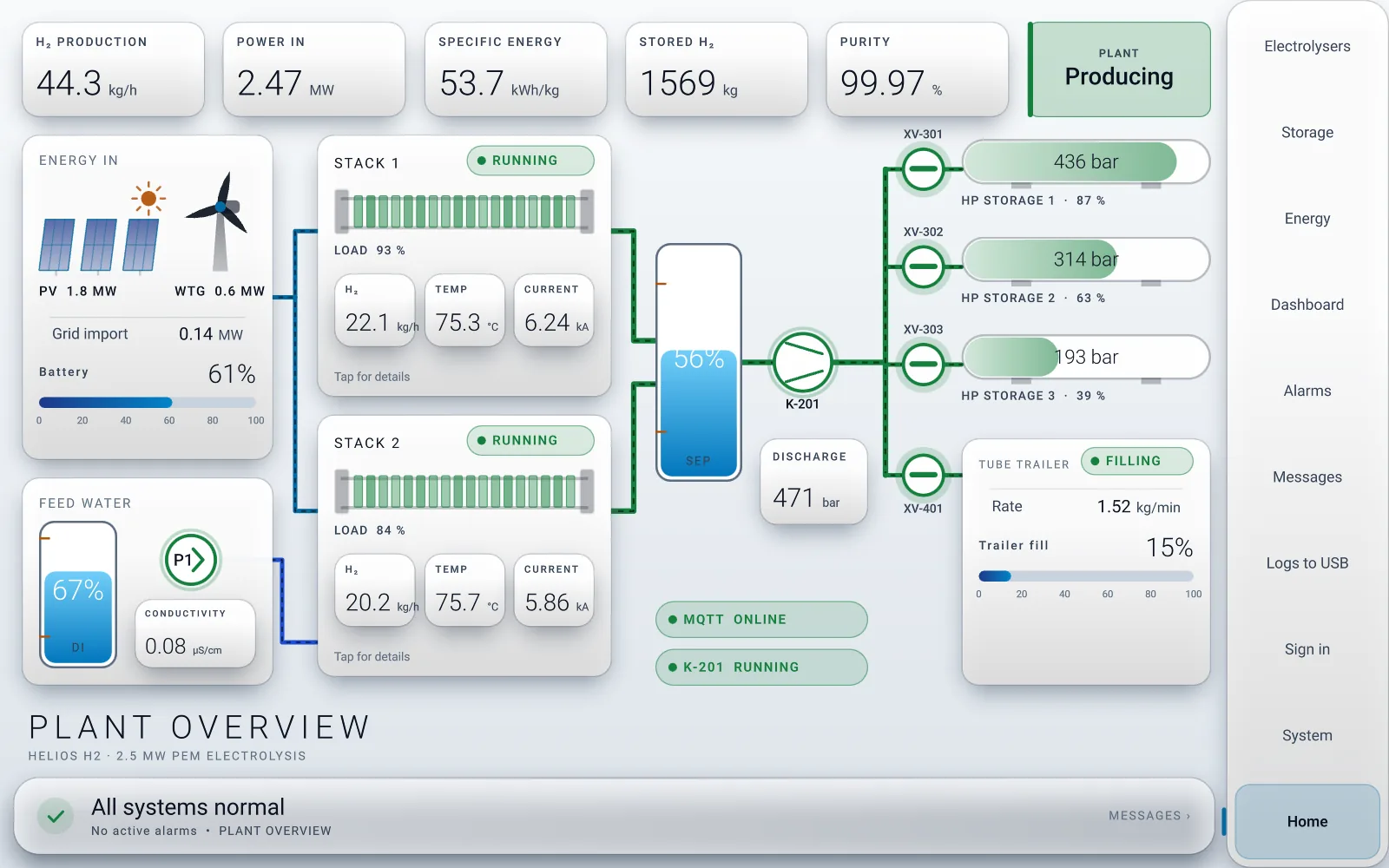
Run the real HMI runtime in your browser
It's the same engine that runs on the machine displays, compiled to WebAssembly. The download is about 6 MB, and it works best on a desktop browser.
Why it matters
A number on a screen should be true, or clearly marked as not.
When a cable is cut or a PLC stops answering, most panels carry on showing the last value as if it were live, and operators make decisions on it. Switch the link to Stale or Lost and compare.
Typical panel
Live value.
Our HMI
Good · live
Simulated values. Every tag carries a quality state, so the operator always knows whether a number is real.
In action
Built for how machines are actually run.
Live edit
Change a running screen and see it on the display a second later.
Take over
One display operates another machine; the machine's own display can always take control back. Shown at 3× speed.
Help that reads the machine
Checklist steps tick off from live values. Shown at 3× speed.
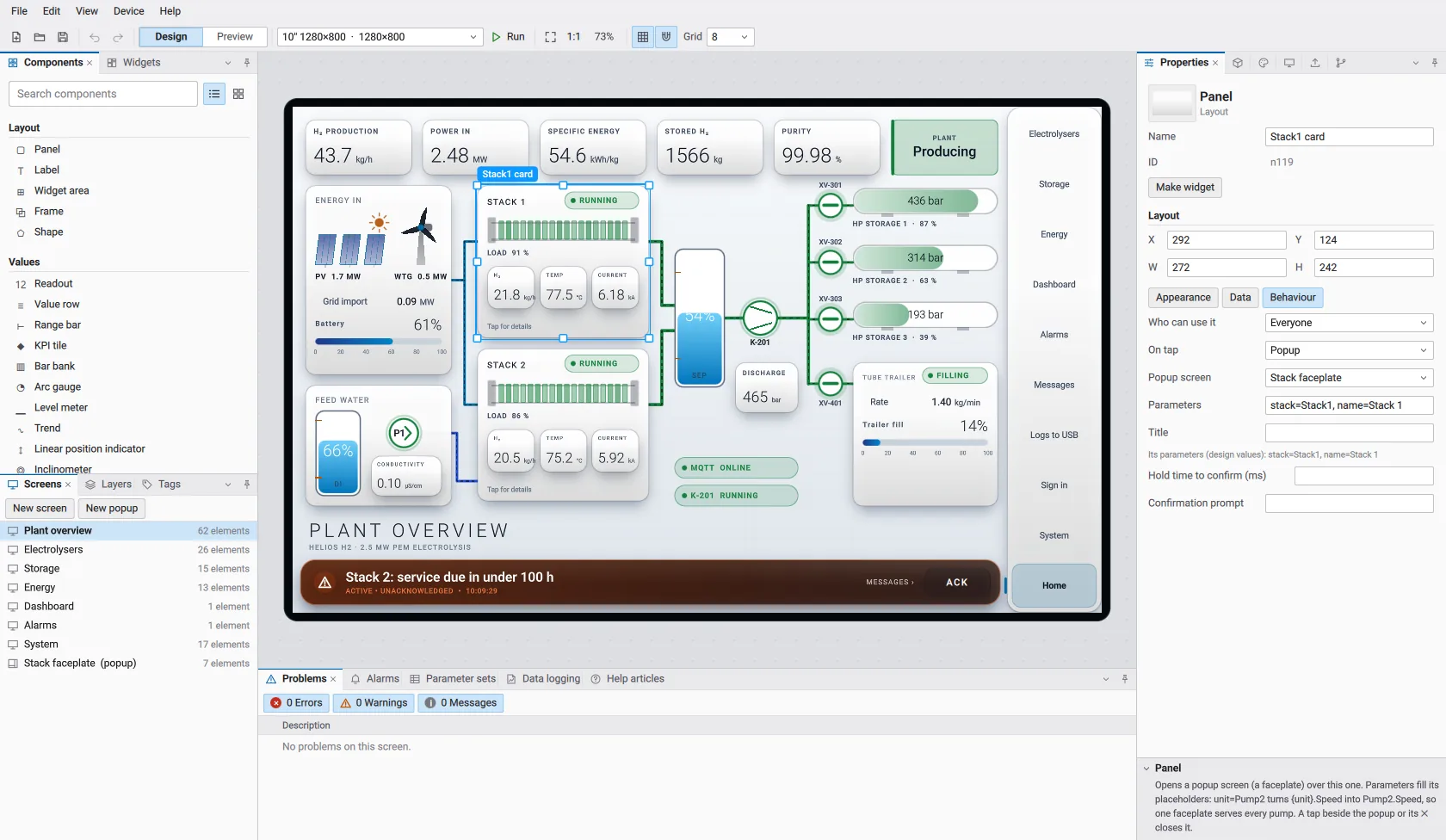
The editor: drag-and-drop screens, bound to PLC tags, previewed with simulated values.
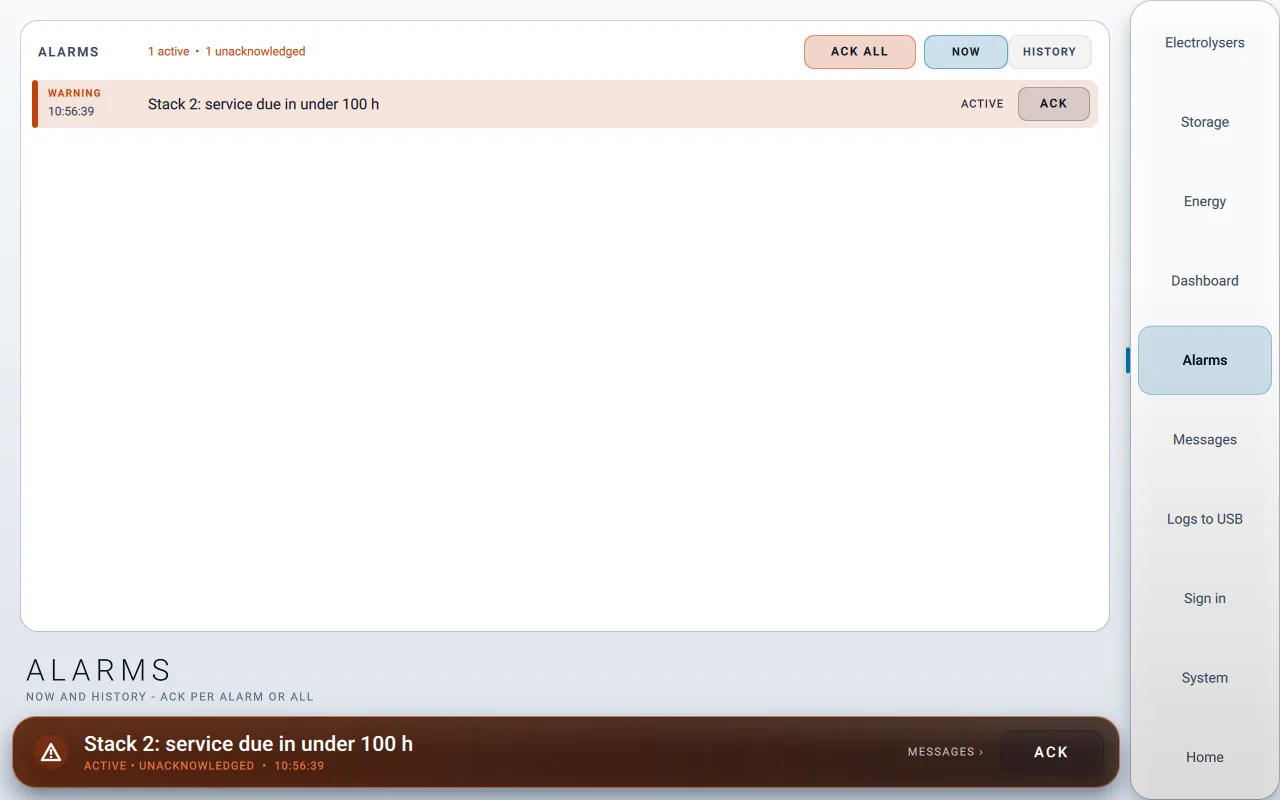
The alarm page: acknowledge per alarm or all, now and history.
What your operators get.
Honest data on every value
Each value is Good, Stale or Bad. Stale values are greyed out and lost values show ---. Writes are refused while the link is down, and nothing is replayed after a reconnect.
Changes in seconds, not shutdowns
We edit screens on our side and the running display picks up the change about a second later, so changes on site take minutes instead of a lost shift.
Survives key-off power loss
Retained values carry checksums and snapshots. Updates install to a spare slot and roll back automatically if they fail a health check.
Alarms people act on
Alarm handling built following ISA-18.2 / IEC 62682: latching alarms, acknowledgement by user and time, delays and deadband against chatter, and never colour alone. A history recorder keeps the journal.
Traceable
Signed software and project packages, a hash-chained log of every intervention, and every deploy tied to a version you can restore.
Secure by default
Roles and PINs, break-glass service codes, no open ports by default, TLS with certificate pinning, and an encrypted project vault. Developed following IEC 62443-4-1 practices, with a threat model and fuzz-tested parsers.
Help that reads the machine
Help pages show live values beside each step, and steps tick themselves off as the machine responds.
Multi-display and take-over
Machines with several displays share a link, one display can take over another machine, and maps and geofences are built in.
Works with what you have
Modbus TCP, OPC UA, MQTT, EtherNet/IP, CANopen, SAE J1939 messaging and CODESYS network variables, on rugged ARM Linux machine displays or Windows PCs. It imports tags straight from PLC variable declarations.
Standards
Designed around the standards behind good HMIs.
HMI design, alarm management and secure development all follow published standards, so the result is consistent, auditable and supportable. The HMI is not a safety device: safety functions stay in the PLC and the safety system.
- ISA-101 / IEC 63303HMI design
- Following: a grey high-performance theme with colour reserved for abnormal states, and lost values shown as a dash with a badge, never a frozen number.
- ISA-18.2 / IEC 62682Alarm management
- Following: an alarm state model with latching and acknowledgement by user and time, delays and deadband against chatter, and no alarms raised on bad data.
- IEC 62443-4-1Secure development
- Following: a threat-modelled design, every external parser fuzz-tested in CI, and signed project packages and updates.
- IEC 62541 (OPC UA)Protocols
- OPC UA with signing and encryption, Modbus TCP, MQTT 3.1.1 over TLS, EtherNet/IP, CANopen (CiA 301) and SAE J1939 messaging.
- IEC 61131-3PLC integration
- Tags imported directly from PLC global-variable declarations, including structures, enums and arrays.
Built following these standards. Not yet certified.
Where we use it
From mobile machinery to process plant.
- Mobile machinery: agriculture, construction, municipal, forestry, cranes
- Hydraulic and power-pack panels, machine operator displays, multi-display machines
- Process overview screens on top of existing PLCs
It's running on a working mobile machine in the field today, on rugged ARM Linux displays (including ifm CR1077 and CR1204) and Windows PCs.
Is the HMI part of the safety system?
Which standards do you follow?
Do we have to replace our PLCs?
Can you upgrade the screens on an existing machine?
Still running screens from 2005?
Tell us about the machine, the display and the controller. We'll show you what a modern HMI on it would look like.